BMS & Building Automation Engineering · Singapore

Building Management Systems Engineered for Reliable Control

Niagara integration, DDC control panels, chiller plant automation, energy dashboards and cloud-connected building monitoring — engineered, commissioned and supported by Citrine Engineering.

NIAGARA 4 CERTIFIED BCA ME02 BIZSAFE LEVEL 3
19Completed Sites
4Ongoing Sites
5+BMS Platforms
3Certifications

01 / Core Solutions

Building automation services for real site operation

Focused BMS engineering, control panel works, cloud monitoring and chiller plant dashboard development for consultants, building owners and main contractors.

N4

Building Management Systems

Niagara 4 Supervisor and JACE application development with BACnet and Modbus integration, alarms, trends and operator graphics.

Platforms we support →
CHW

Chiller Plant Control

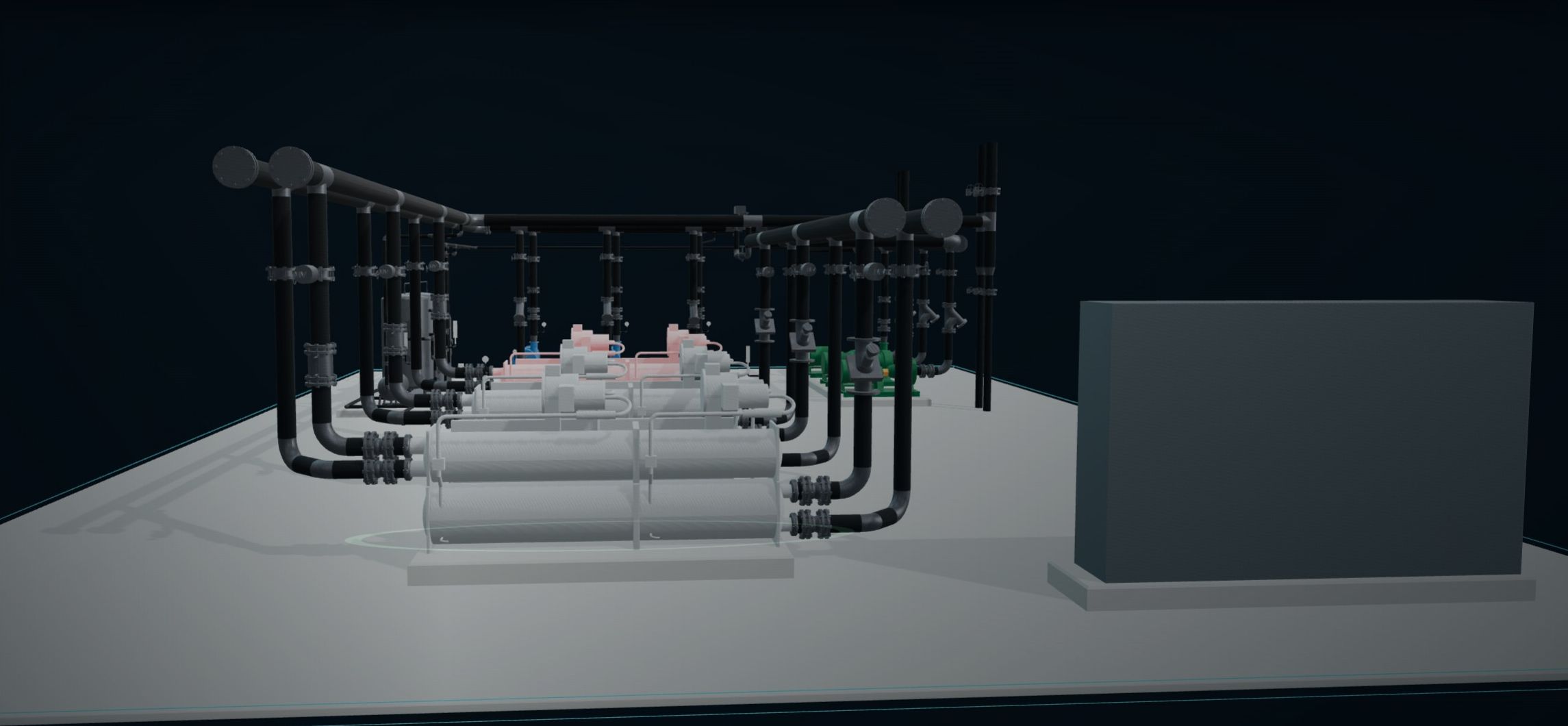
Chiller plant controls, monitoring and upgrading works — from panel engineering to plant dashboards and 3D digital twins.

See the 3D plant graphics →
DDC

DDC Panels & Controls

DDC, LMCP and HADAS panel engineering, fabrication, controller installation, internal wiring, testing and documentation.

Capability details →
CLOUD

Dashboards & Cloud Monitoring

Secure multi-site Cloud BMS with central dashboards, alarms, trends, reports and managed support while local control stays on site.

Explore our Cloud BMS solution →

02 / Cloud BMS Solution

One secure platform for all your buildings

Keep your existing BMS and manage multiple sites from one central dashboard with live status, alarms, trends and scheduled reports.

MANAGED CLOUD BMS SERVICES

Citrine Engineering provides managed Cloud BMS services, including platform setup, monitoring, backups, data tools, system maintenance and technical support.

KEEP YOUR EXISTING BMS

Connect every site without replacing working controllers

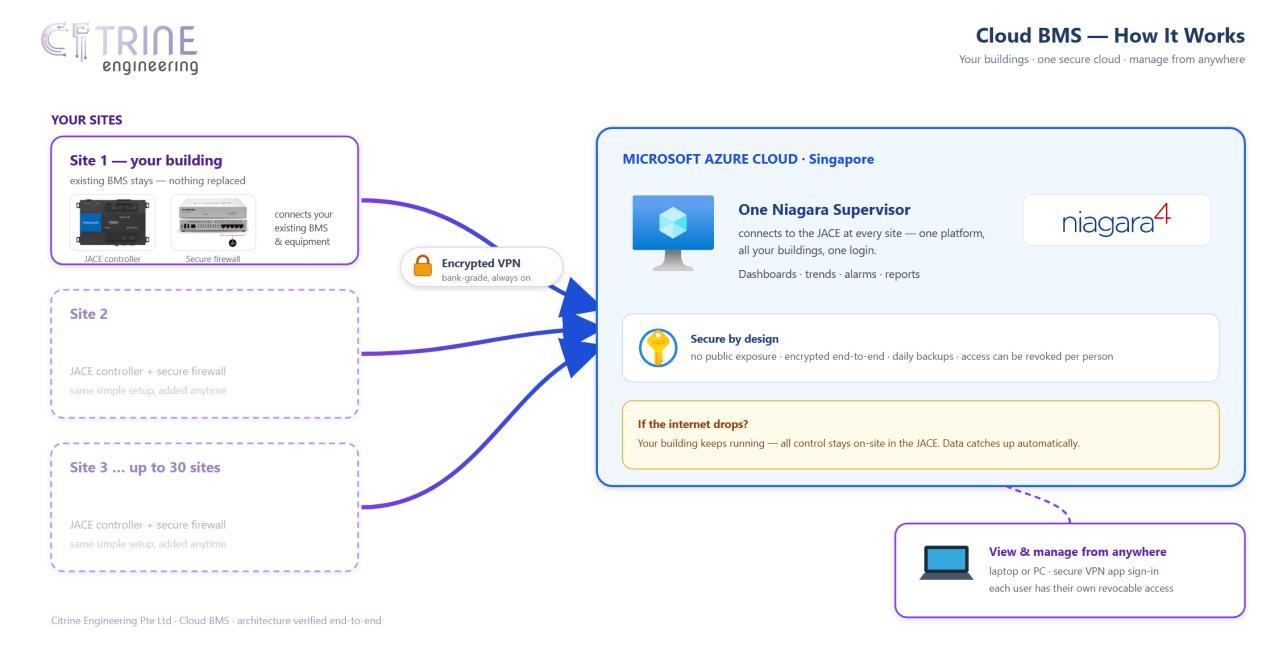
Citrine adds a Niagara JACE and secure firewall at each site, then connects them to a central Niagara Supervisor in your Microsoft Azure environment through an encrypted outbound connection.
  • One portfolio viewSee buildings, live values, alarms, trends and reports from one screen.
  • Local control remainsDDC, PLC and JACE control continues on site if the internet or cloud is unavailable.
  • Scales with your sitesStart with one building and expand to as many as 30 sites on the same platform.
  • Managed and supportedMonitoring, patching, backups and technical support are managed by Citrine.
Cloud BMS network schematic showing multiple sites connected through encrypted VPN to a Niagara Supervisor in Microsoft Azure
Cloud BMS network schematic from the proposal. Final site architecture is confirmed after the site survey.
SECURE MULTI-SITE ARCHITECTURE

Local control on site. Central visibility in the cloud.

LOCAL CONTROL ALWAYS ON
01

Secure by design

No public cloud-server address, encrypted site and staff connections, individual user accounts and multi-factor authentication for administrators. The design is developed with reference to IEC 62443 principles.

02

Client-owned cloud and data

The Microsoft Azure account is opened in the client’s name. The client owns the account and data, and Citrine’s operating access can be revoked when required.

03

Clear delivery path

  1. Site survey1 day
  2. Cloud platform setupAbout 1 week
  3. JACE and firewall installation1–2 days / site
  4. Integration, testing and training1–2 weeks

Typical first-site delivery: 4–6 weeks after scope confirmation.

03 / Niagara 4 BMS GUI Upgrade

Your Niagara BMS, upgraded

Modern web screens for alarms, trends, energy reports and 3D equipment graphics, running on the Niagara 4 station you already have. Same station, same points, same users and permissions. Nothing to migrate: we upgrade the screens.

A / CUSTOMISED 3D EQUIPMENT GRAPHICS

3D graphics customised to your real site

Each 3D graphic is built from the equipment actually installed on your site and linked to your existing Niagara points. Live readings sit beside every part, running equipment animates, and a trip is impossible to miss.
  • Chiller plant
  • AHU
  • MAU
  • Fans
  • Pumps
  • Cooling towers
  • Hot water system
  • Other equipment on request
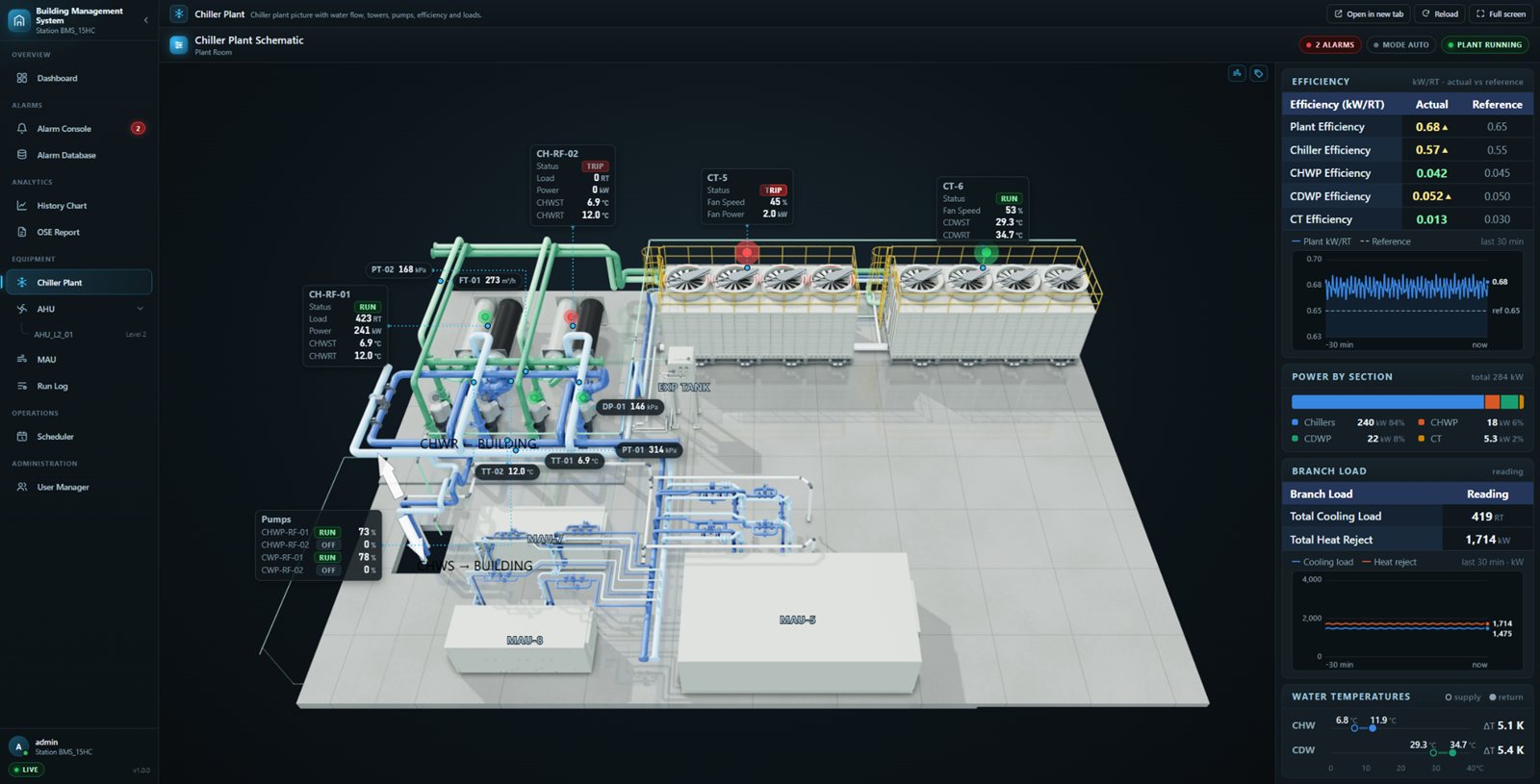
3D chiller plant graphic with live readings beside each chiller, cooling tower and pump, plus efficiency, power by section and water temperature panels
Chiller plant graphic with chillers, cooling towers, pumps and plant efficiency in one view.
CHILLER PLANT · 3D

The whole plant, animated and live

Standard Niagara 4
Px graphics
Upgrade adds
3D picture of your plant room, animated water flow
  • Rendered 3D picture with readings beside every unit
  • Water flows in the pipes; tower fans turn at their real speed
  • Green running, red pulsing trip, grey off, per unit
  • Efficiency against design, power split, loads and ΔT
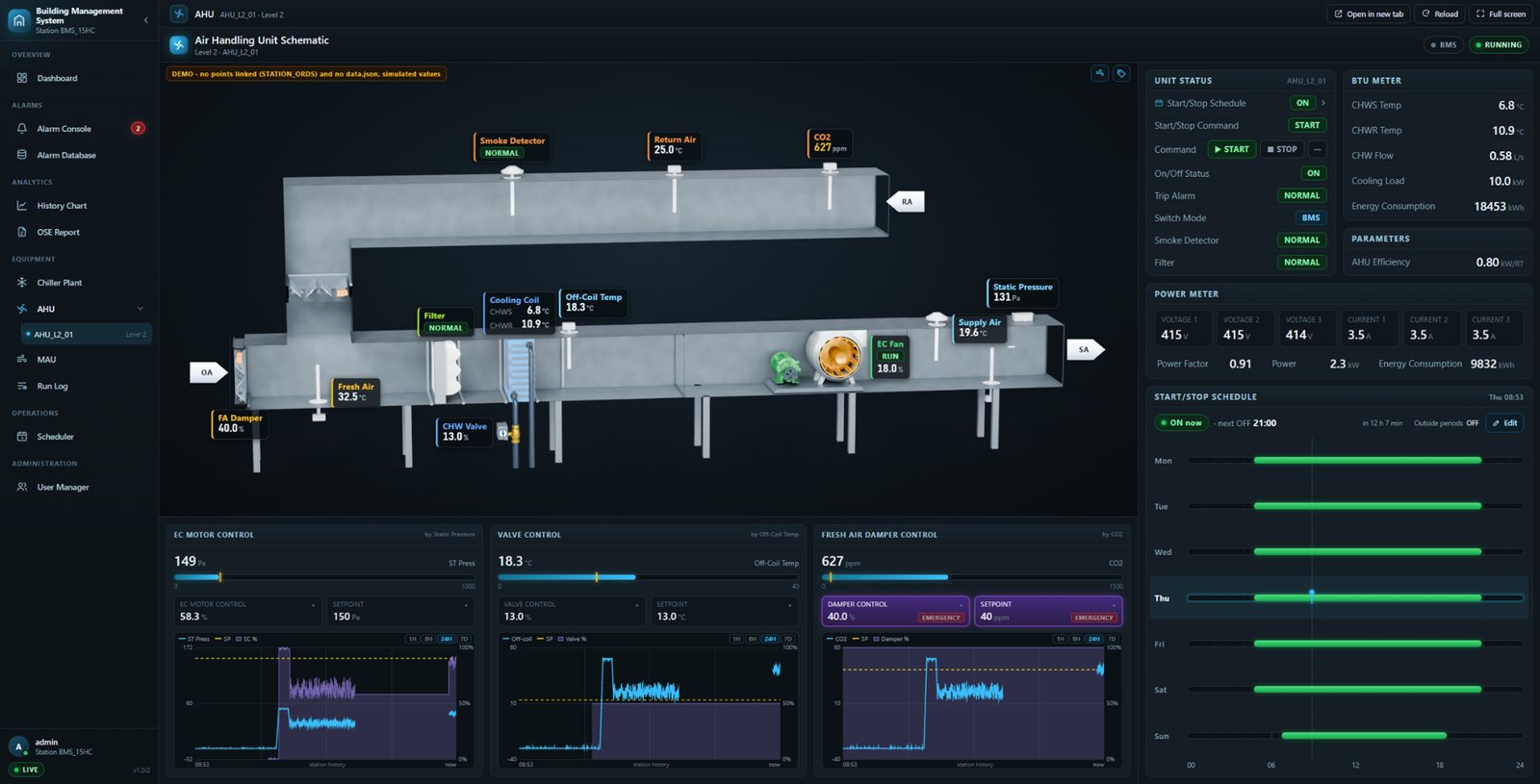
3D air handling unit cut-away with live fresh air, filter, cooling coil, EC fan and supply air readings, control loops and weekly schedule
AHU cut-away with control loops, power and BTU meters and the weekly schedule.
AHU · 3D

Every reading where it happens

Standard Niagara 4
Px graphics
Upgrade adds
3D cut-away of your AHU, with control on the same screen
  • Cut-away picture with live values beside each part
  • Fan, dampers and chilled-water valve show their real position
  • Start, stop, setpoints and overrides on one screen
  • Weekly schedule, meters, and trends behind every loop
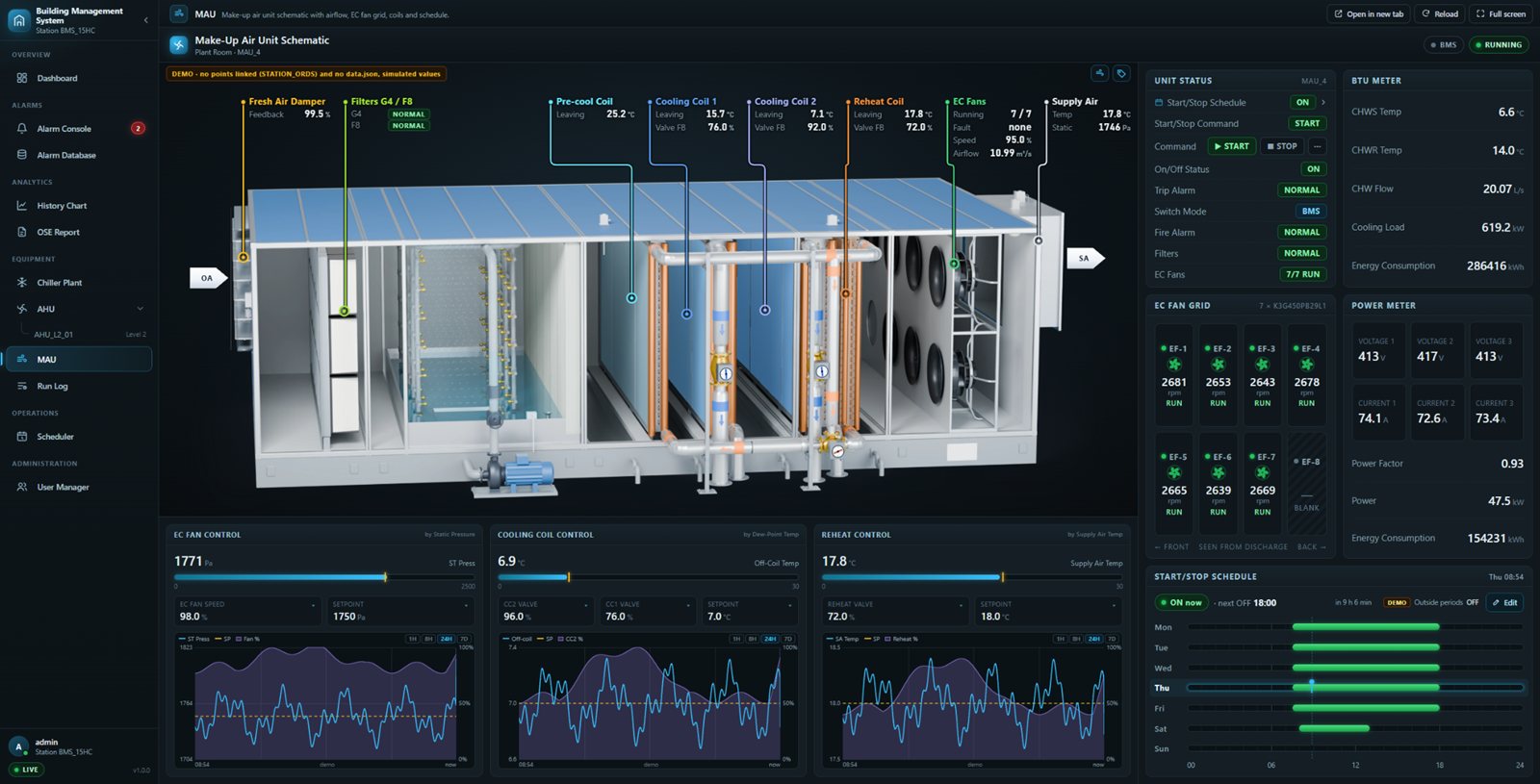
3D make-up air unit with callouts for fresh air damper, filters, pre-cool, cooling and reheat coils, an EC fan grid and supply air
MAU with live callouts, EC fan grid, control loops and schedule together.
MAU · 3D

Seven EC fans, one clear picture

Standard Niagara 4
Px graphics
Upgrade adds
3D picture of your MAU, every fan shown on its own
  • Live callouts for damper, filters, coils, fans and supply air
  • Each fan spins at its own speed and flags its own fault
  • Coils tint as their valves open; washer mist while the pump runs
  • Fan grid, start and stop, schedule and loop trends together
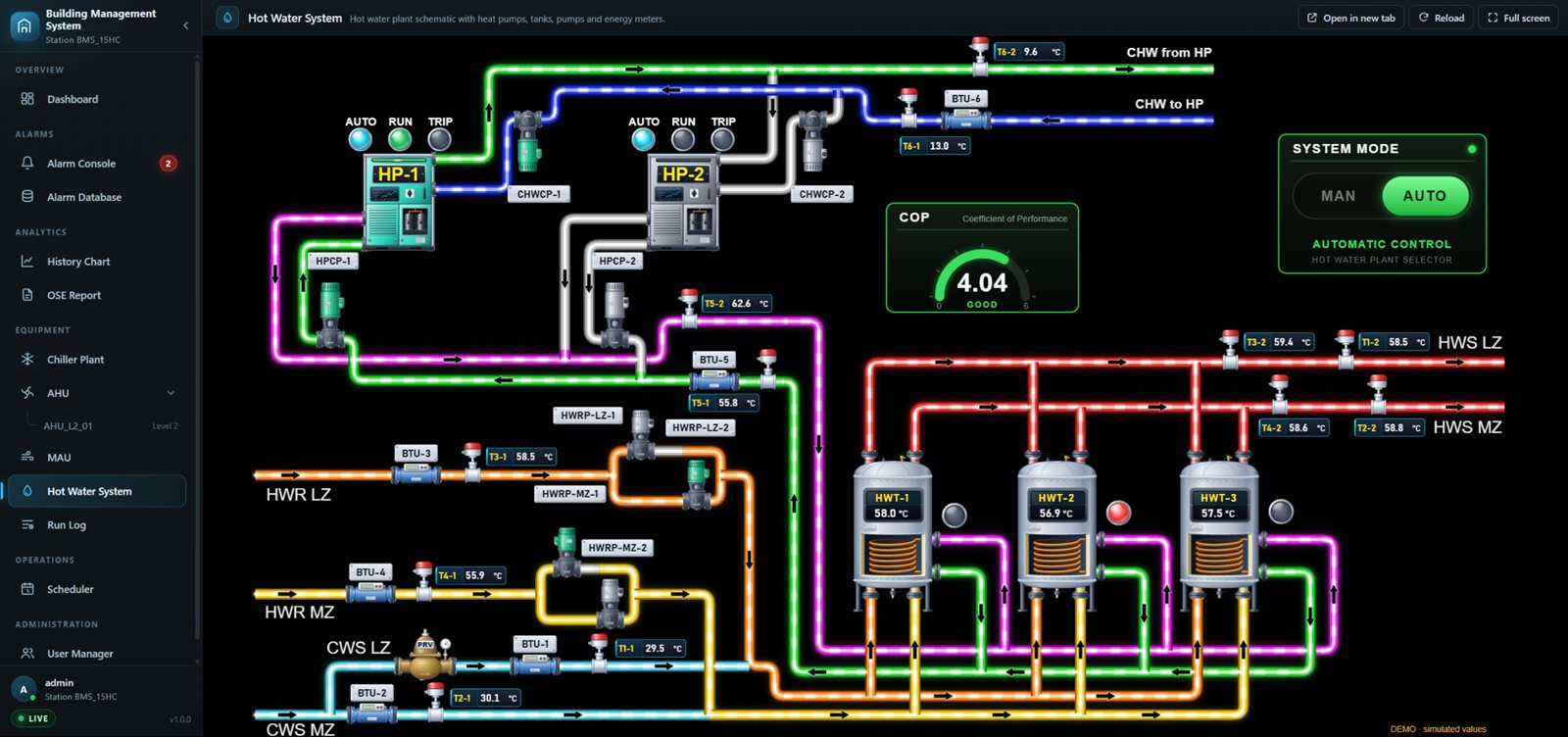
Hot water system graphic with two heat pumps, three hot water tanks, colour-coded pipe loops, BTU meters, a COP gauge and system mode selector
Hot water plant with heat pumps, tanks, loops, BTU meters and COP.
HOT WATER SYSTEM · 3D

Heat pumps, tanks and loops, live

Standard Niagara 4
Px graphics
Upgrade adds
Animated flow in every loop, COP and system mode
  • Heat pumps with auto, run and trip lamps; duty and standby pumps
  • Flow animated in each loop while its pump runs
  • Tank temperatures, heater lamps and BTU meter readings
  • COP gauge and system mode; click a value for its trend

Built for your site: screens above are shown with demo values. On your project the layout, equipment count and tags follow your own plant, and every value comes from your Niagara points.

B / NIAGARA 4 FEATURE UPGRADES

Every standard Niagara 4 feature, made easier to use

Each app replaces a standard Niagara 4 screen with a faster browser version and adds the tools operators ask for. All apps sit in one portal on the station, so switching between them is instant. Light for offices and bright rooms, dark for control rooms and video walls: one switch in the portal, and every app follows it.
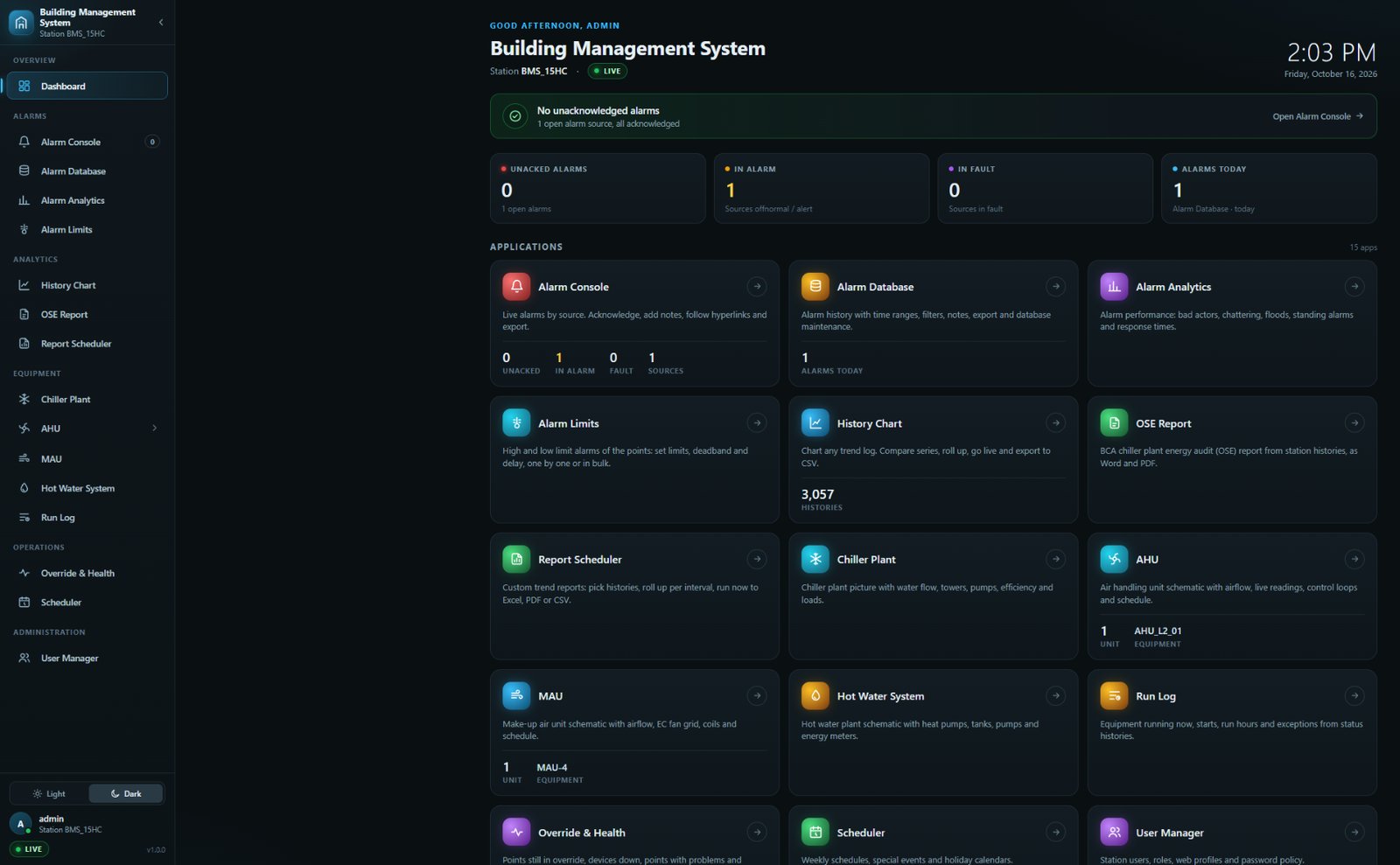
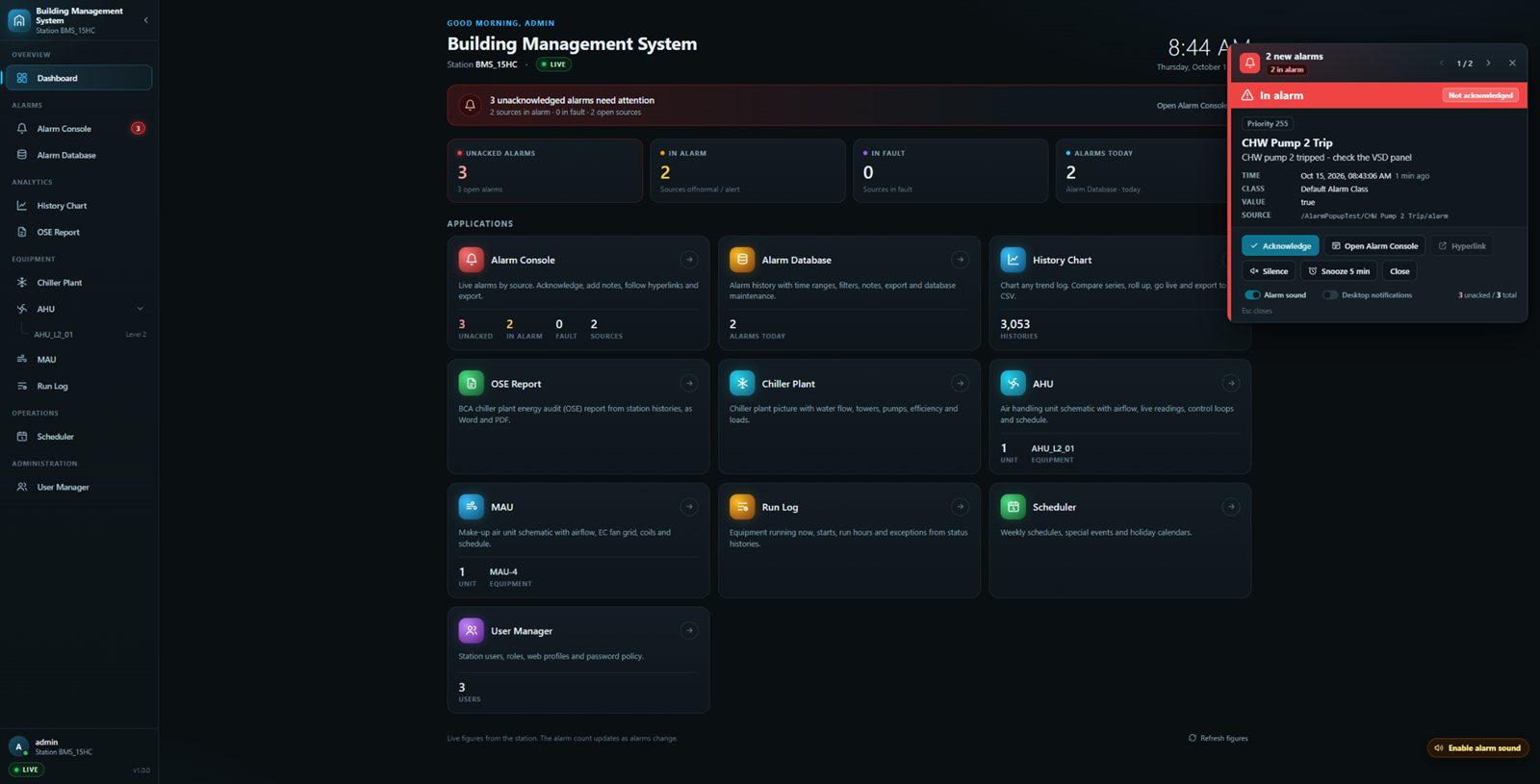
BMS portal dashboard with live alarm counts, a status banner, a tile for every app including the Report Scheduler, and the light and dark switch in the sidebar
Portal dashboard: live alarm counts and one tile per app.
PORTAL DASHBOARD

The building at a glance

Runs on
Your existing Niagara 4 station
Upgrade adds
One home page for every app, with live figures
  • Live alarm counts: unacknowledged, in alarm, in fault, today
  • A banner that says “needs attention”, “all normal” or “connection lost”
  • App tiles with live figures, such as histories and users
  • Signed-in user, station name and LIVE status always in view
Alarm popup card over the portal dashboard showing a CHW pump trip with time, class, value, source and acknowledge, silence and snooze buttons
The popup appears over any page the moment an alarm arrives.
ALARM POPUP

No new alarm goes unnoticed

Standard Niagara 4
Workbench alarm popup
Upgrade adds
Any browser page, colour by state, sound
  • Pops up over any page, with a tone, the moment an alarm arrives
  • Source, message, time, class and value in one card
  • Red while in alarm; green once back to normal and waiting for an acknowledge
  • Acknowledge, open the Alarm Console, silence or snooze 5 minutes
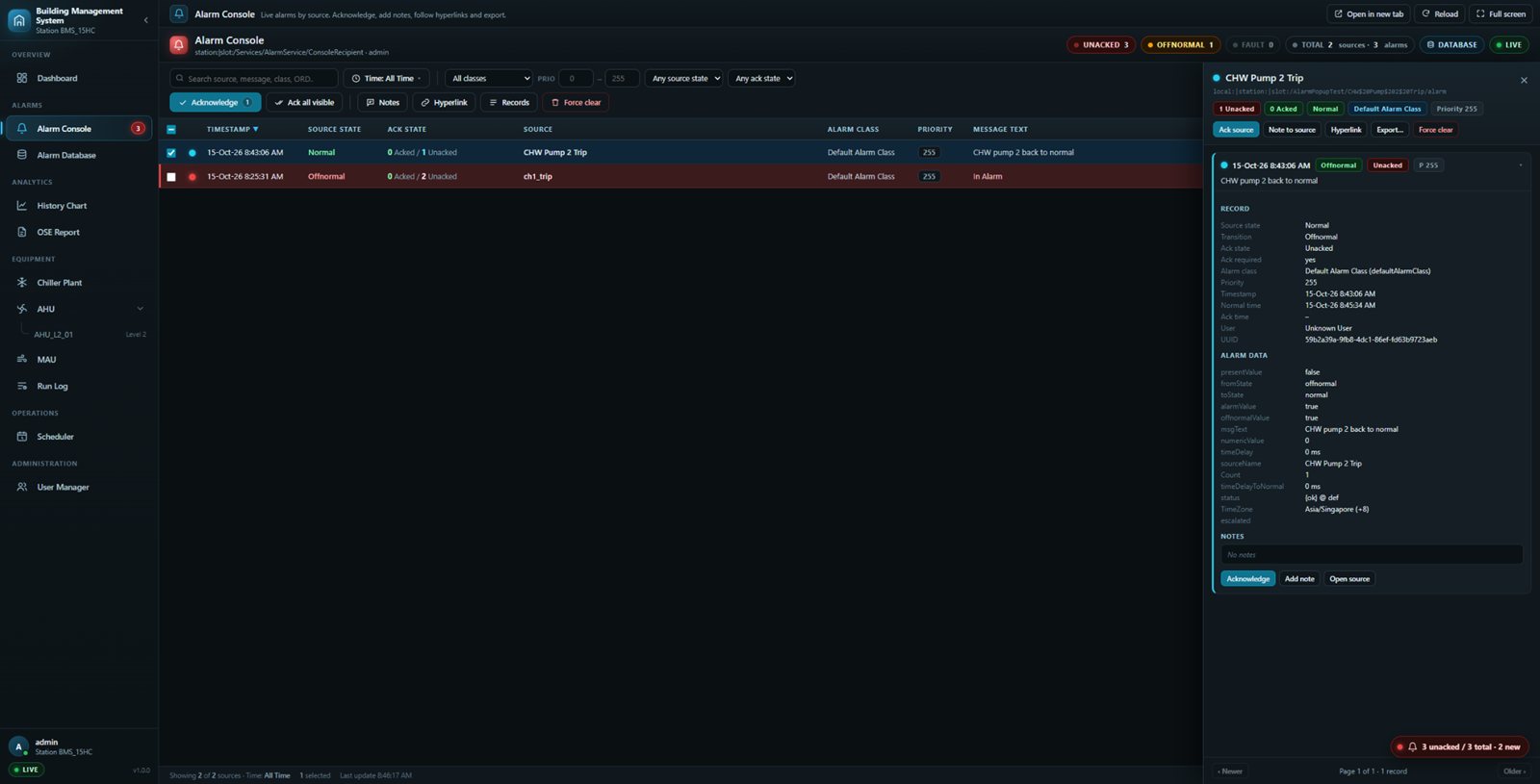
Alarm Console listing live alarm sources colour-coded by state and acknowledgement, with filters and record details
Live list of alarm sources, colour-coded by state and ack status.
ALARM CONSOLE

Every active alarm, live

Standard Niagara 4
Alarm Console
Upgrade adds
Filters, record details, notes, export
  • Live list of alarm sources, colour-coded by state and ack status
  • Acknowledge, add notes, open linked graphics or force clear
  • Search and filter by time, class, priority and state
  • Export to Excel, PDF, CSV, HTML, text or oBIX, up to 10,000 records
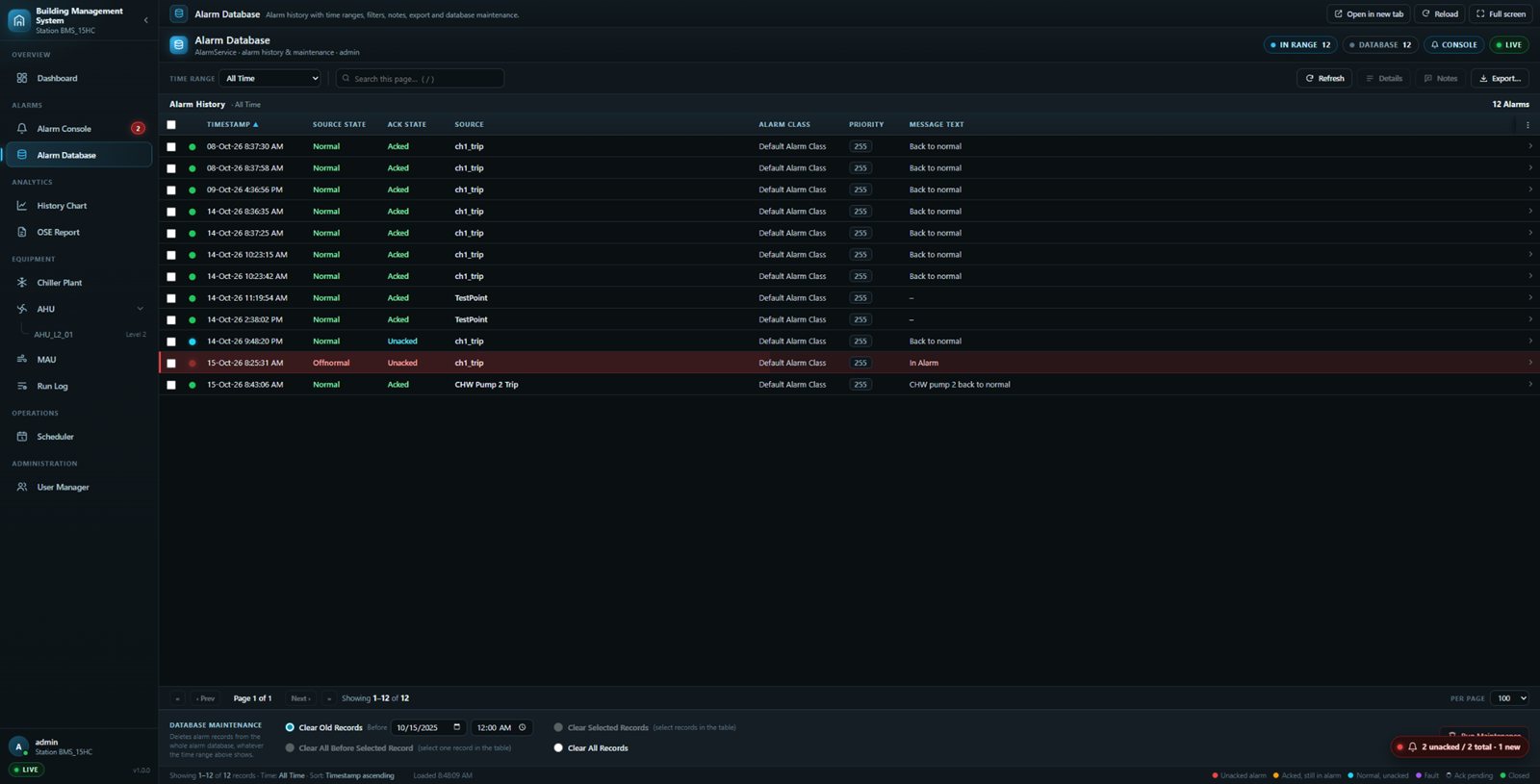
Alarm Database with a time range selector, searchable alarm history table and record details
Alarm history for any time range, with record details and export.
ALARM DATABASE

Alarm history you can search

Standard Niagara 4
Alarm database maintenance
Upgrade adds
Time ranges, search, export, safe clean-up
  • Any time range, from today to all time, filtered by the station
  • Record details, notes and linked graphics for every alarm
  • Export a page or a whole range, up to 10,000 records
  • Database maintenance, locked to admin users
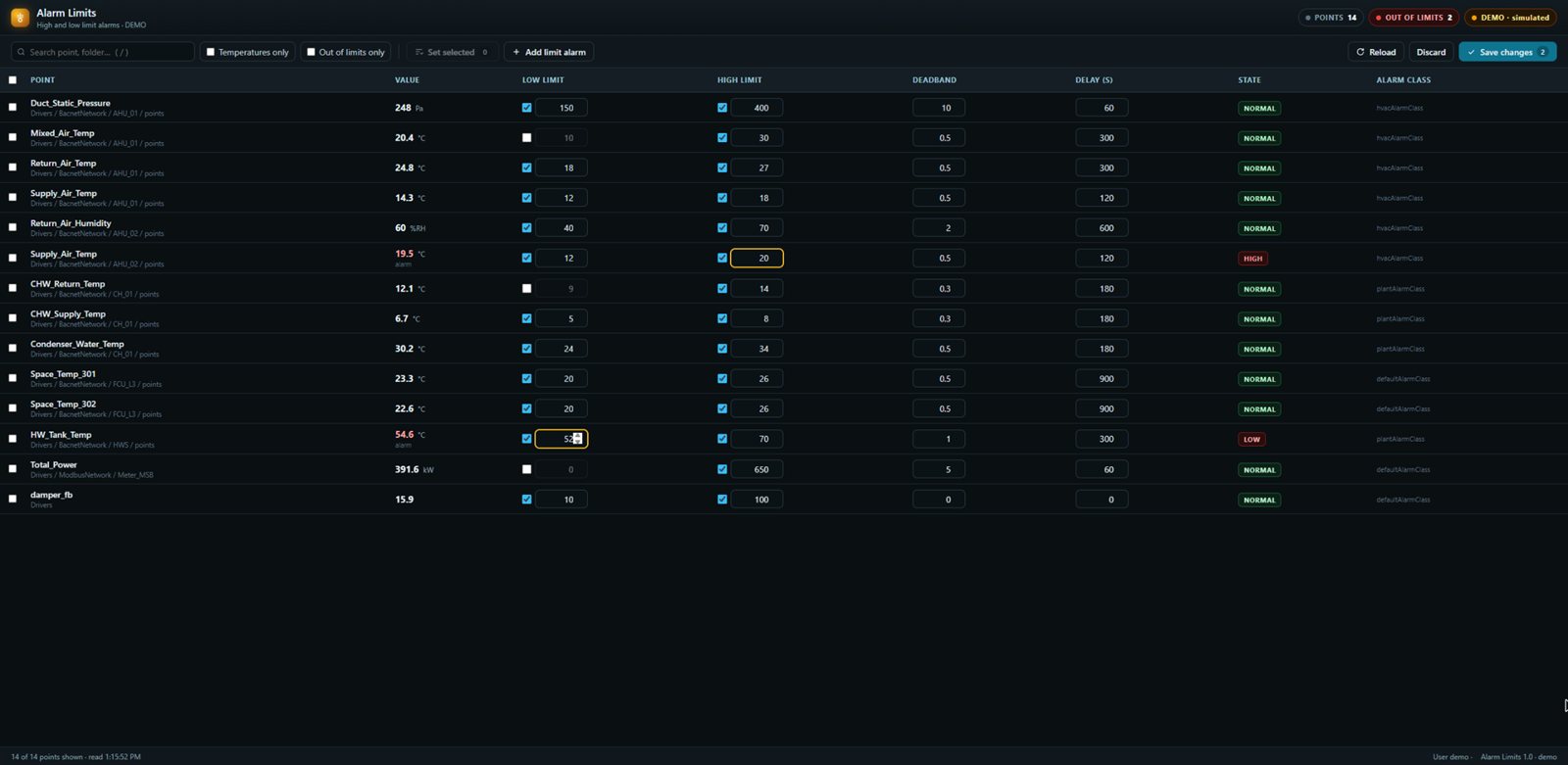
Alarm Limits table listing every limit alarm on the station with live values, high and low limits, deadband and delay
All limit alarms of the station in one table, with live values.
ALARM LIMITS

Every high and low limit in one table

Standard Niagara 4
Alarm extension property sheets
Upgrade adds
All limits in one table, bulk set
  • Edit limits, deadband and delay right in the table
  • Changed fields turn amber, wrong ones red; saves only what changed
  • Filter to temperatures, select all and set one band at once
  • Follows Niagara permissions: read only without rights
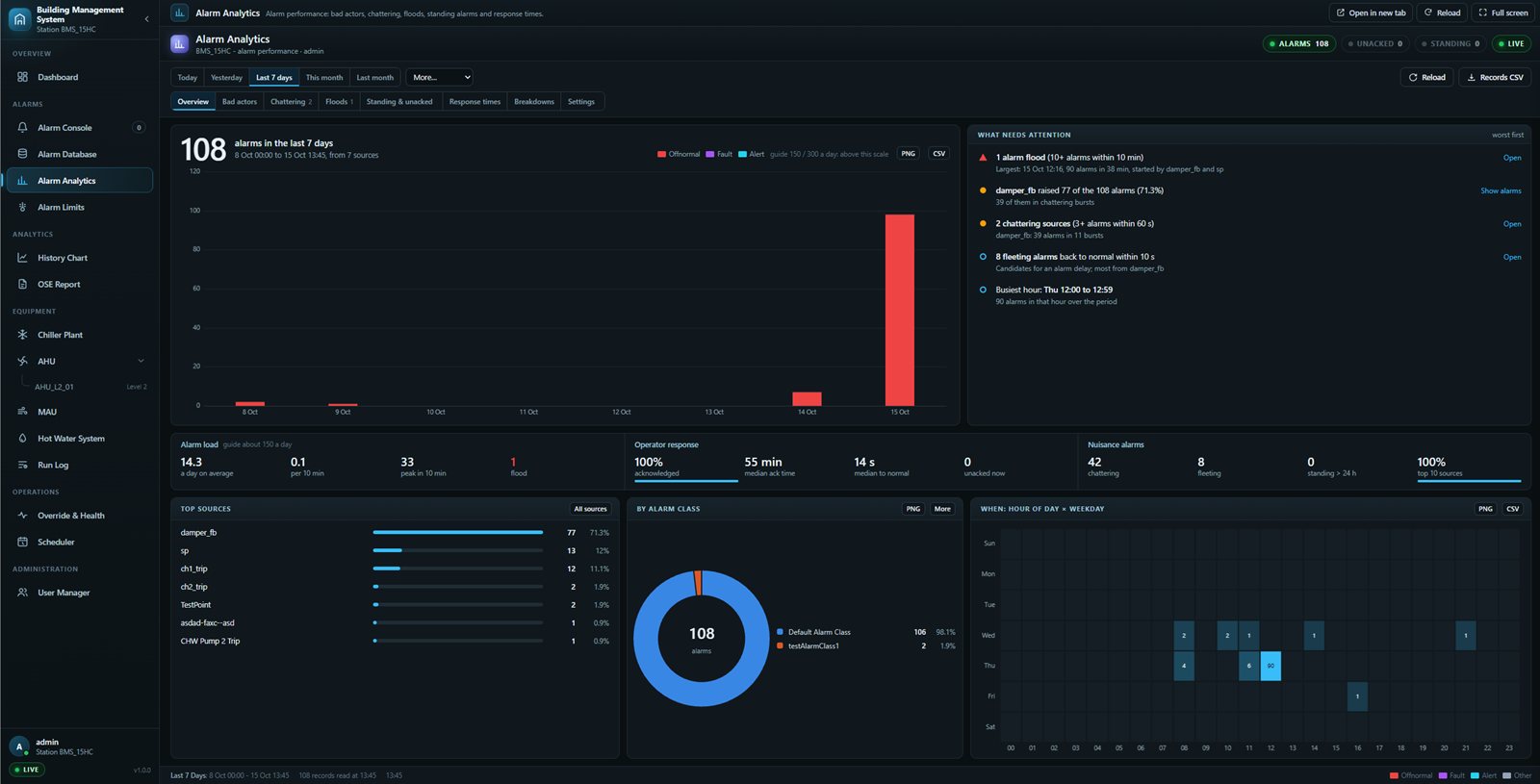
Alarm Analytics with alarms per day, per class and by hour of the week, plus flood, chattering and response time figures
Alarms per day, per class and by hour of the week.
ALARM ANALYTICS · NEW

Find the alarms that waste time

Standard Niagara 4
Alarm database
Upgrade adds
Bad actors, floods, response times
  • Alarms per day, per class and by hour of the week
  • Floods, chattering and fleeting alarms counted
  • Time to acknowledge and back to normal
  • Top sources ranked with their share, chattering and response time
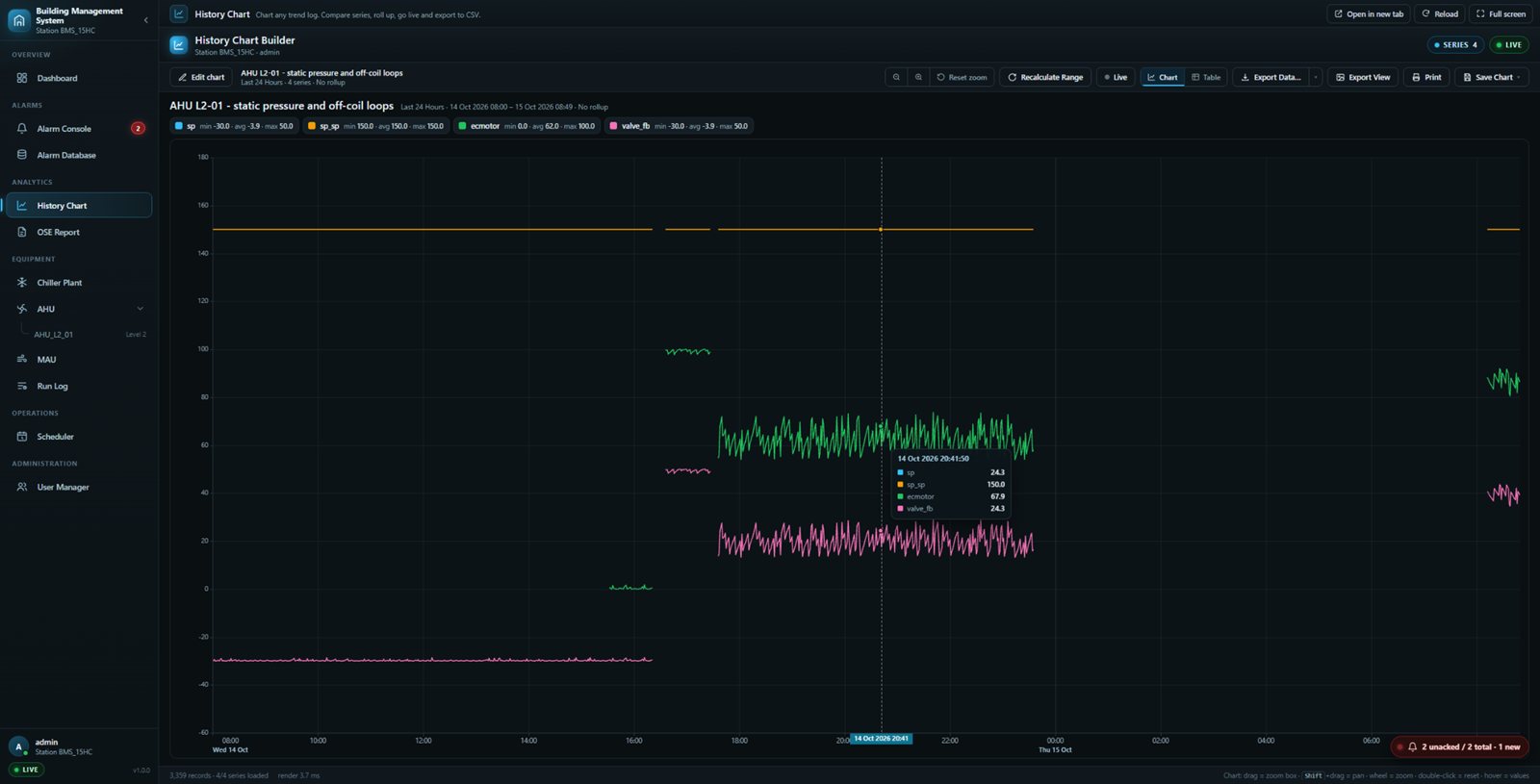
History Chart Builder plotting four AHU trend series over 24 hours with a hover tooltip and export tools
Any station history, charted in seconds, with zoom, pan and hover values.
HISTORY CHART

Any trend, any period

Standard Niagara 4
History chart
Upgrade adds
Roll-ups, status lanes, share links, export
  • Pick from thousands of station histories with a search
  • Line, area, bar and pie charts, plus on/off status lanes
  • Hourly, daily or monthly roll-ups
  • Export to Excel, PDF, CSV, HTML, text or oBIX, or save the chart as a picture
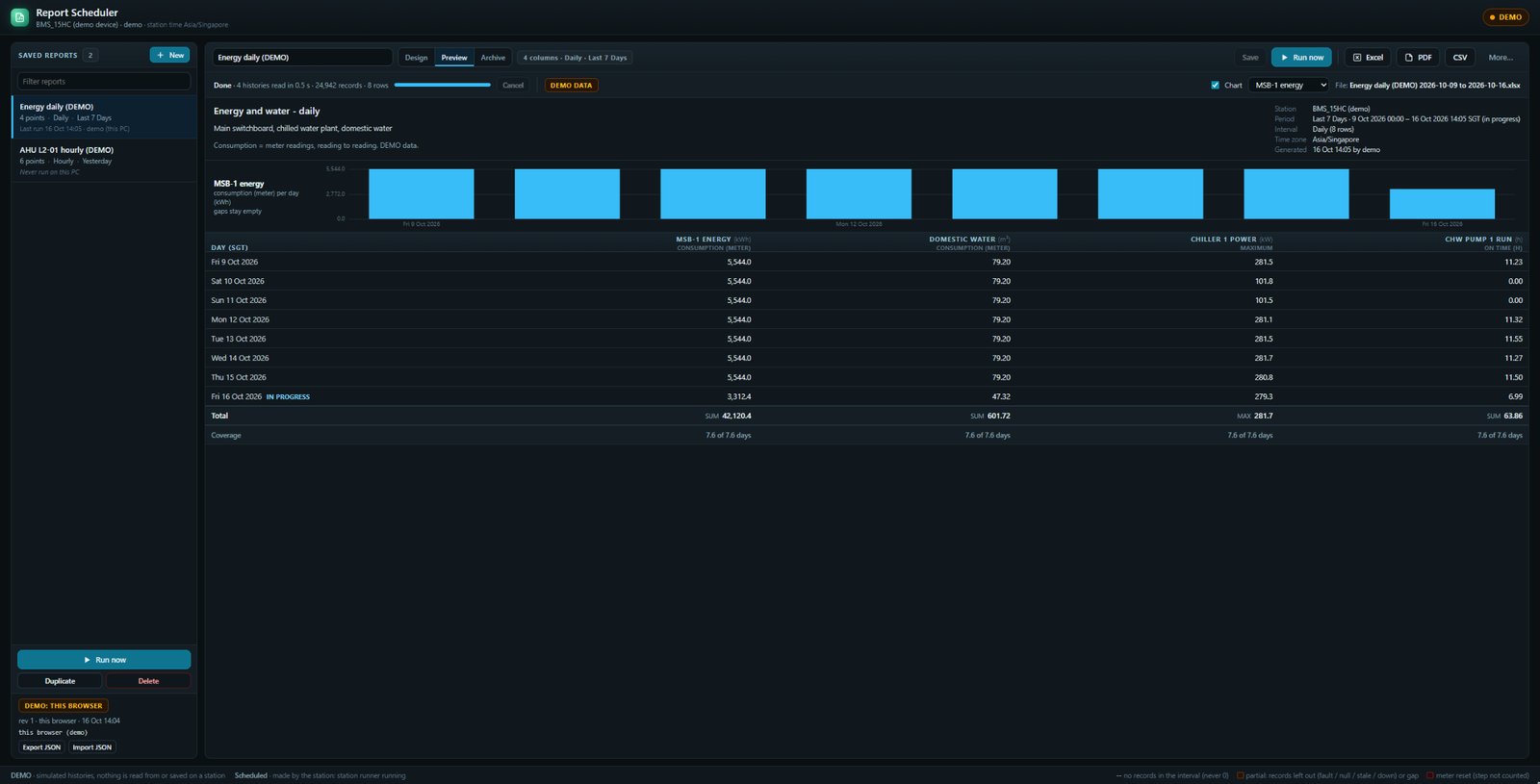
Report Scheduler preview of a daily energy and water report: a bar chart of daily meter use and a table with one row per day, totals and coverage
Daily energy and water report: one row per day, with totals and coverage. Demo data.
REPORT SCHEDULER · BUILT ON NIAGARA HISTORIES

Trend reports in Excel and PDF

Standard Niagara 4
Histories, report service
Upgrade adds
Scheduled Excel and PDF trend reports
  • One row per 15 min, hour, day or month, in station time
  • Meter use from readings, with totals and coverage
  • Gaps stay empty and meter resets are flagged, never guessed
  • Run now, or let the station make it daily, weekly or monthly
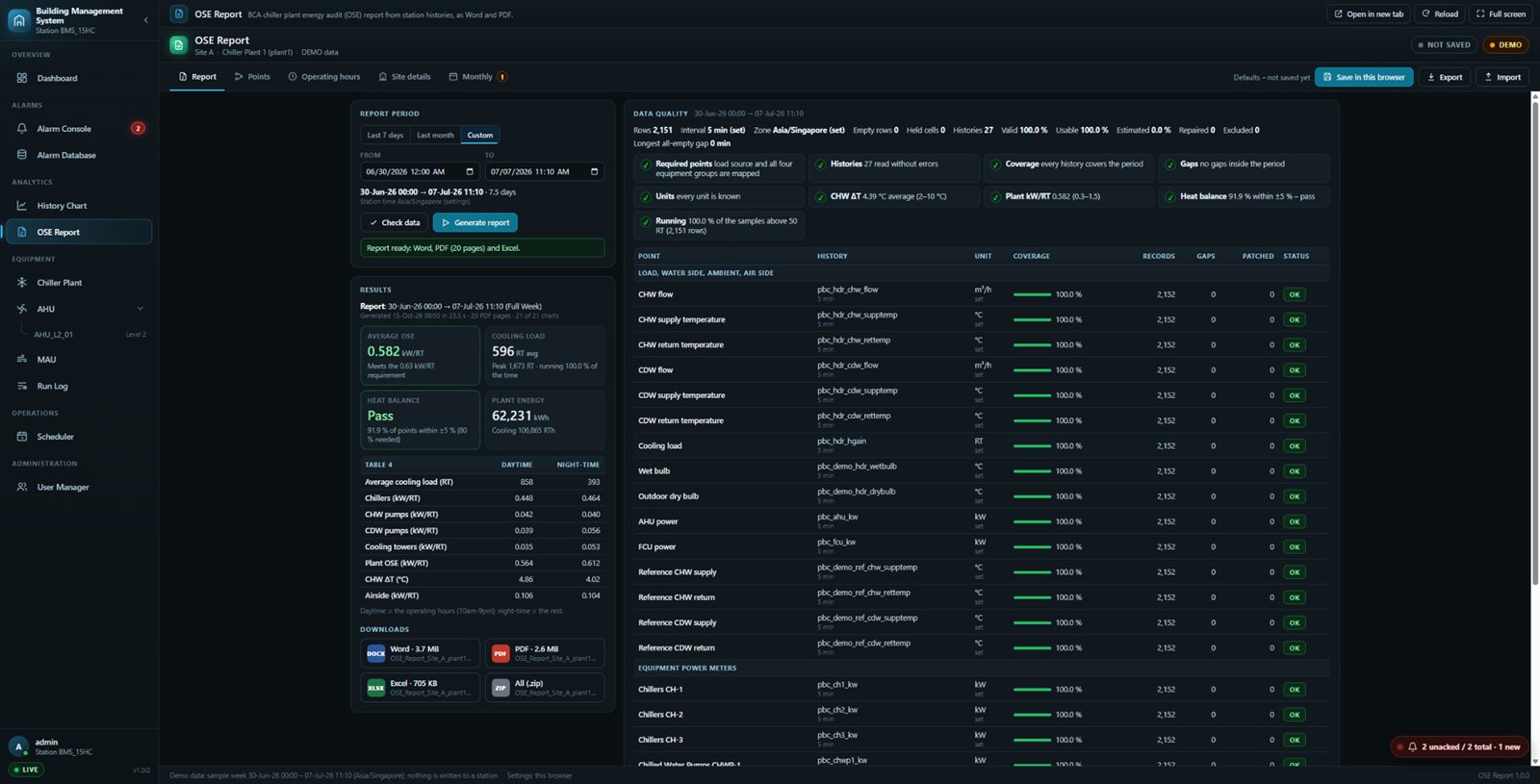
OSE Report app with report period, data quality checks for every chiller plant history, results and Word, PDF and Excel downloads
Data checks first, then the report: shown here with a demo sample week.
OSE REPORT · BUILT ON NIAGARA HISTORIES

The BCA energy audit, from trend data

Standard Niagara 4
Histories
Upgrade adds
The BCA OSE report, in Word, PDF and Excel
  • Reads the chiller plant histories straight from the station
  • Checks coverage, gaps, units, ΔT and heat balance first
  • Day and night efficiency, ready in under 30 seconds
  • Word, PDF and Excel output in the BCA format
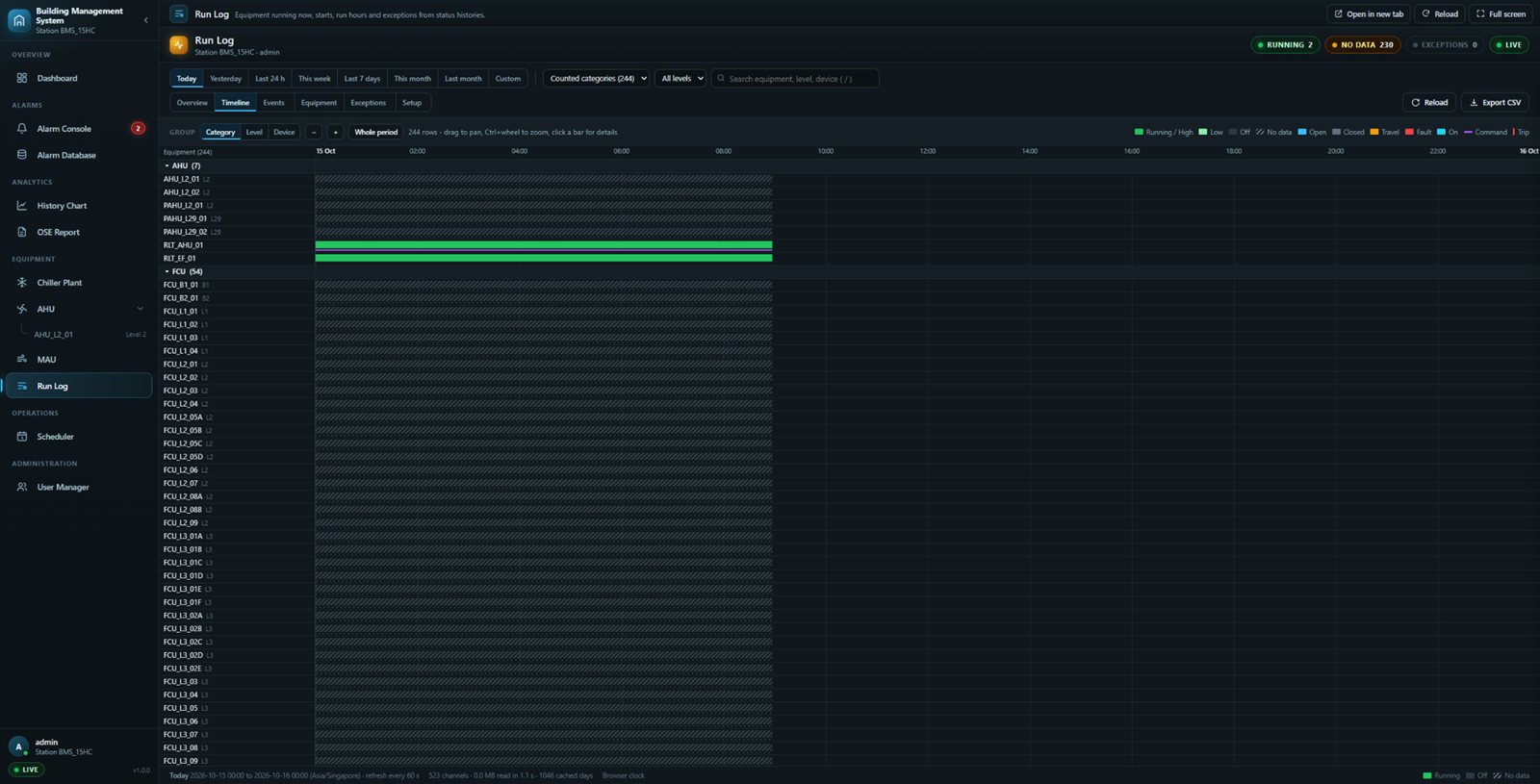
Run Log with equipment running now per category and a timeline bar per unit showing starts, stops, trips and run hours
What ran, when and for how long, per unit.
RUN LOG · BUILT ON NIAGARA HISTORIES

What ran, when, and for how long

Standard Niagara 4
Histories
Upgrade adds
Run hours and events per unit
  • Running now, per category, refreshed every minute
  • A timeline bar per unit, grouped by category, level or device
  • Starts, stops, trips and run hours per unit
  • Flags units that never stop, never run or short-cycle
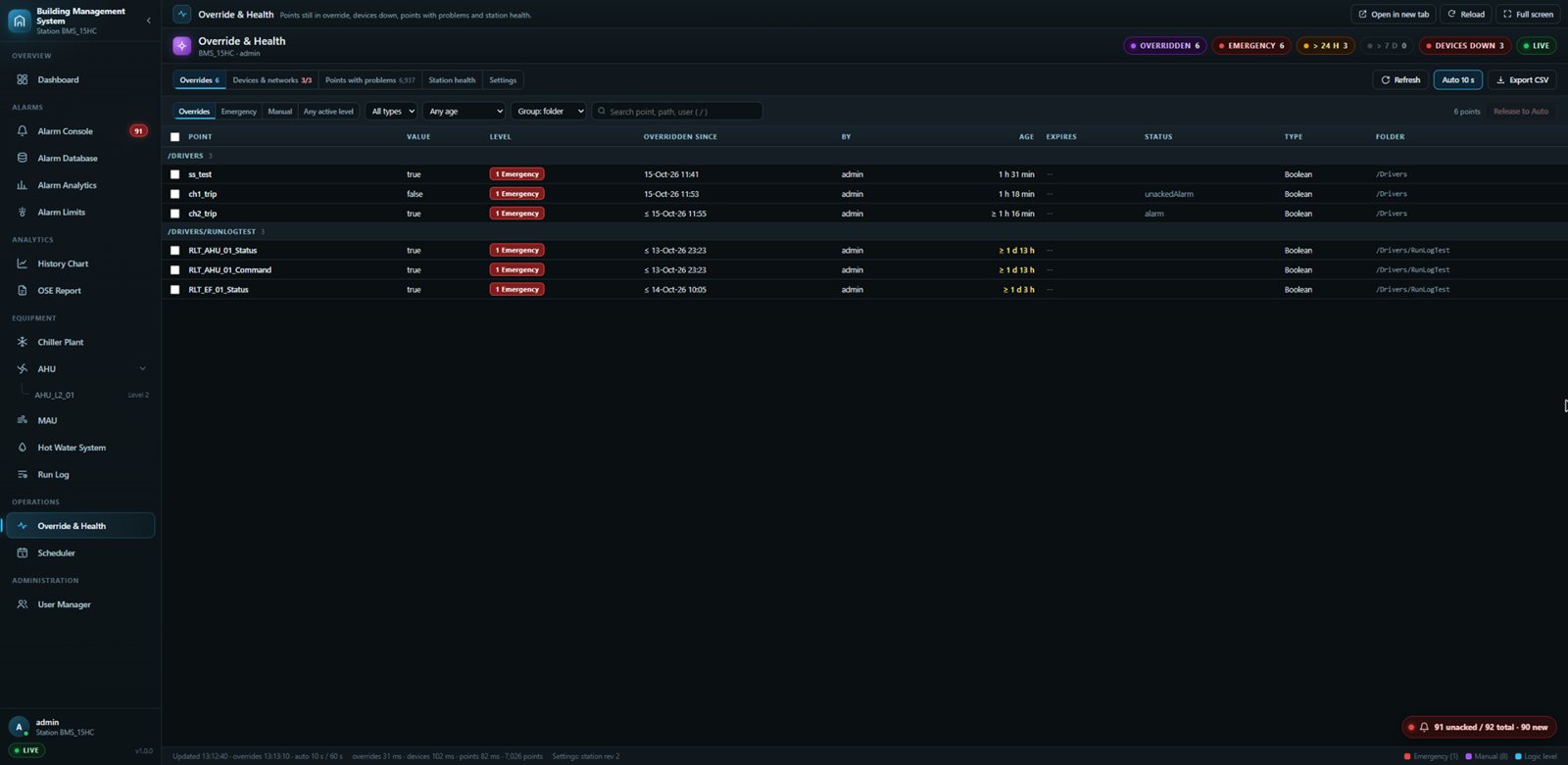
Override and Health list of every overridden point with level, who set it and for how long, plus a release to auto action
Every point still overridden, with who and how long.
OVERRIDE & HEALTH · NEW

Nothing left in override by mistake

Standard Niagara 4
Point status, Spy pages
Upgrade adds
Forgotten overrides, devices down, health
  • Emergency, manual and other override levels at a glance
  • Release to Auto: admins only, with a confirm step
  • Devices down and points with problems listed
  • CPU, memory, licence capacity and remote JACE status; every view exports to CSV
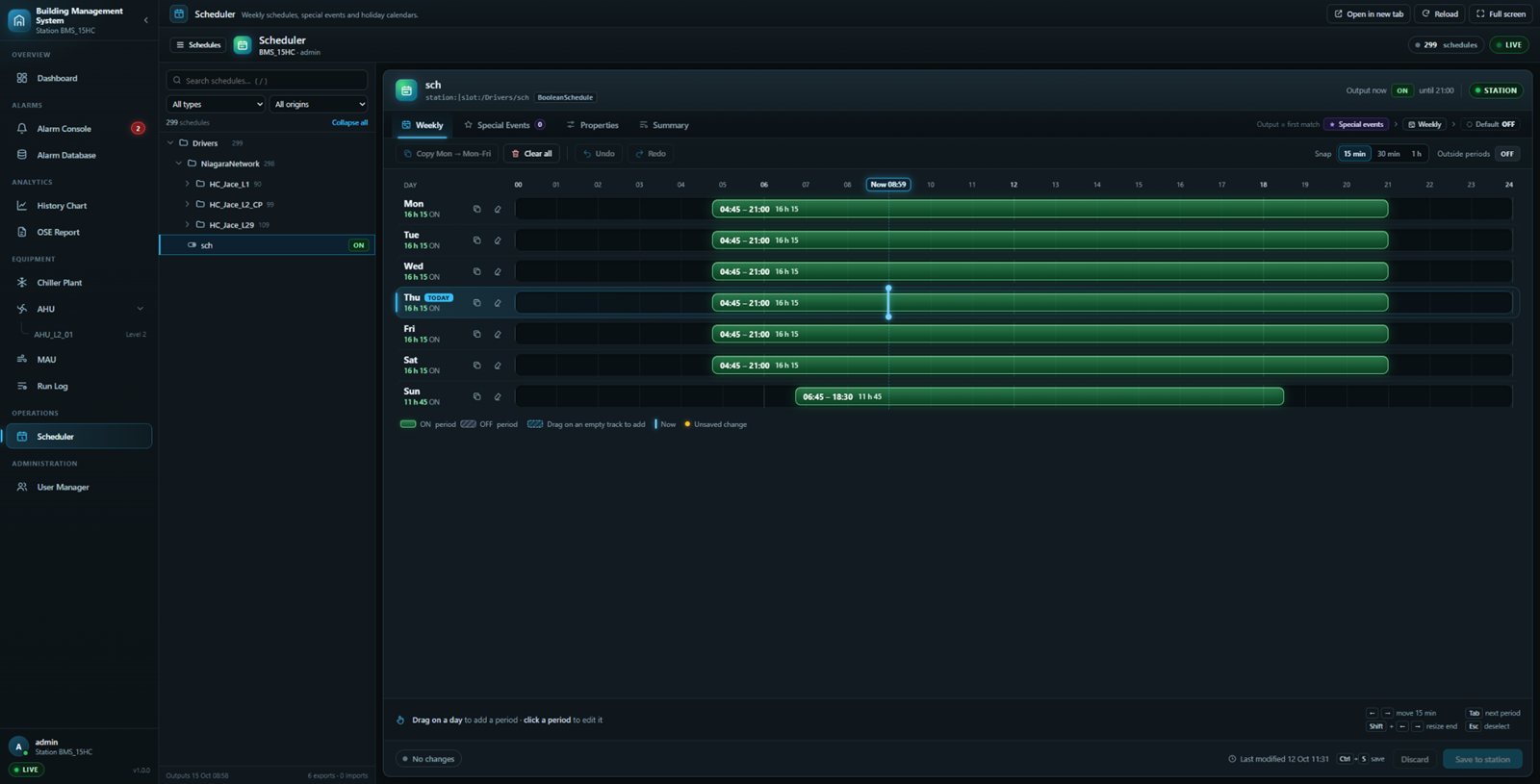
Scheduler listing every time schedule in the station with a weekly timeline for drag editing and holiday calendars
Every schedule in one list, edited on a weekly timeline.
SCHEDULER

Every time schedule, drag to edit

Standard Niagara 4
Weekly schedule editor
Upgrade adds
Every schedule in one list, drag to edit
  • All schedules in the station, with search and type filters
  • Drag on the weekly timeline to add, move or resize periods
  • Holidays and special events, including shared calendars
  • Shows whether each schedule has reached its JACE
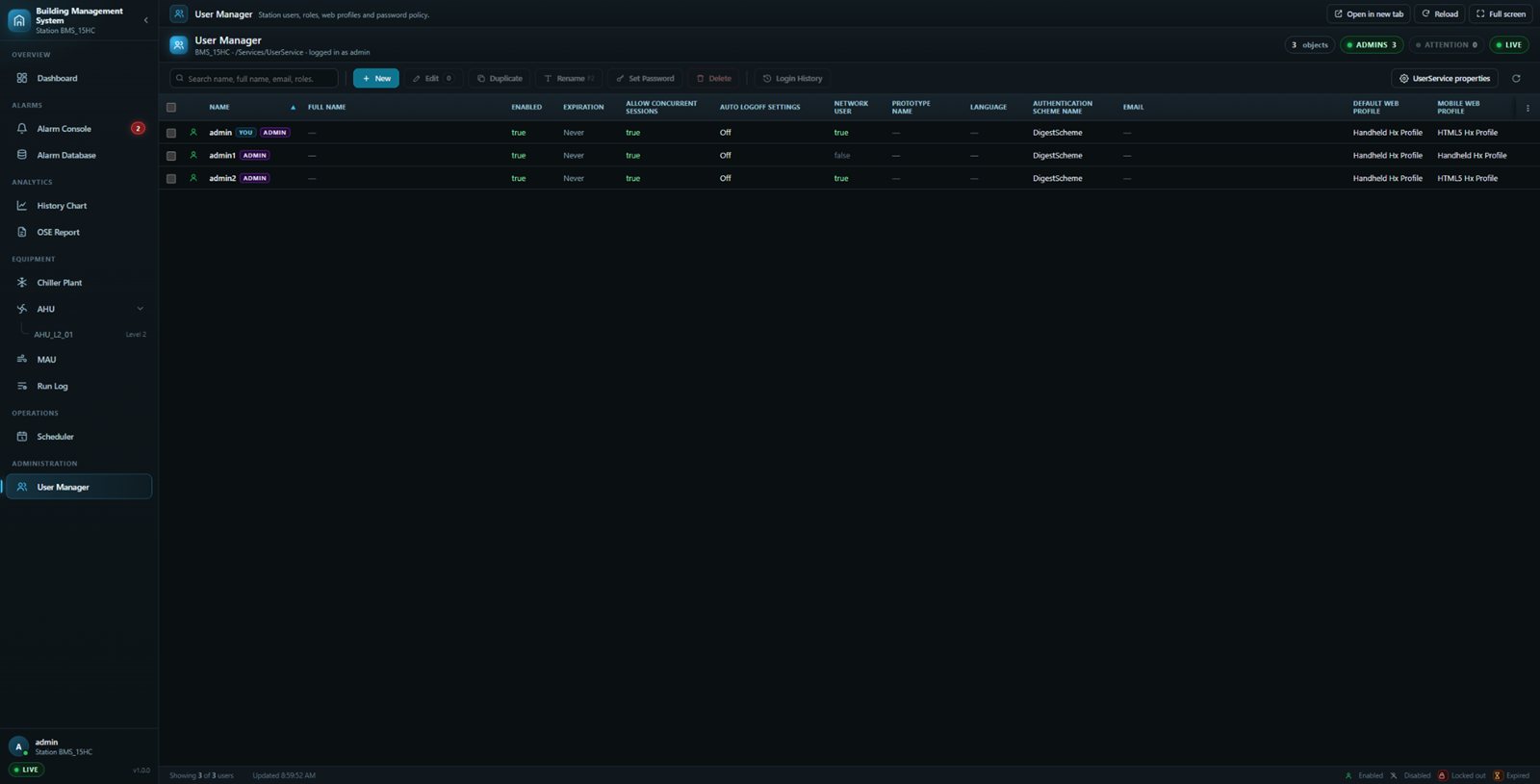
User Manager listing station users with status, roles, web profiles and expiry
Station users with status, roles, web profiles and expiry.
USER MANAGER

Station users, from a browser

Standard Niagara 4
User Manager
Upgrade adds
Bulk edits, password checks, safety guards
  • Create, duplicate, edit, rename or delete users
  • Change many users at once; live password-strength checks
  • Guards stop you removing your own access or the last admin
  • Every user with status, roles, web profiles and expiry
01 / ANY BROWSER

Nothing to install

Served by the Niagara station itself, with live values from the station. Nothing to install on operator PCs.

02 / LICENSED, SIGNED

Proper Niagara modules

Delivered as signed Niagara modules, licensed to the Host ID of the station.

03 / YOUR LOOK

Fits your existing graphics

Light or dark theme per site; the apps also open inside existing graphics pages.

04 / Selected Project References

BMS, EPMS, EMS and chiller plant reference sites

A selection of flagship references with factual scope and existing project images.
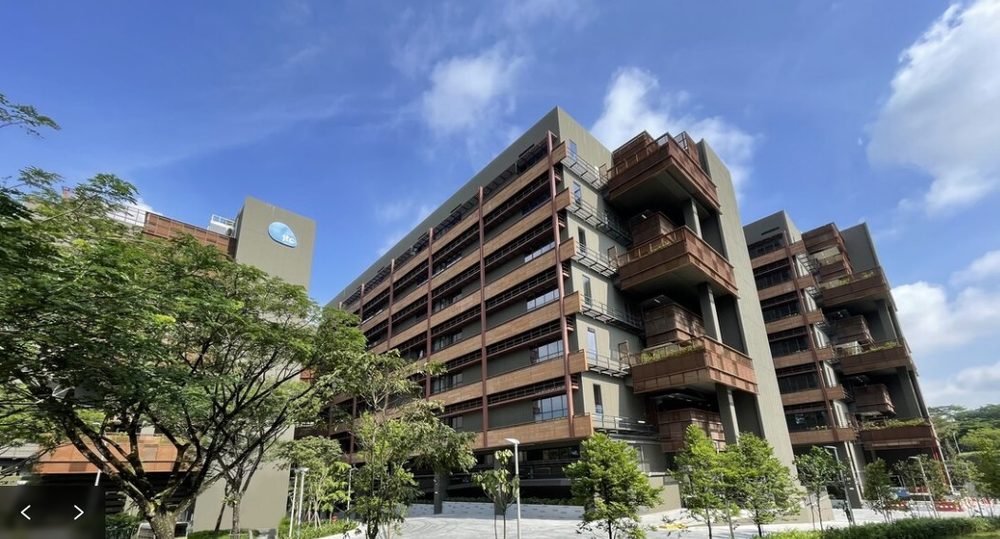
JTC CleanTech 3 building COMPLETED

JTC CleanTech 3

BMS and EPMS delivery for the CleanTech Park development.
BMS · EPMS
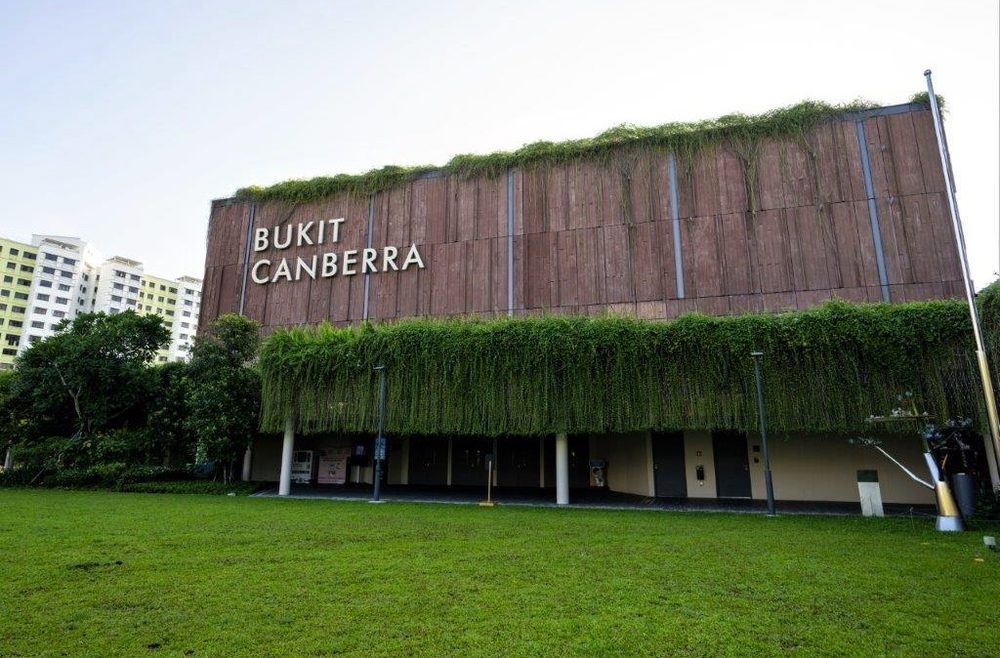
Bukit Canberra integrated sports and community hub COMPLETED

Bukit Canberra

BMS and EPMS for the integrated sports and community hub.
BMS · EPMS
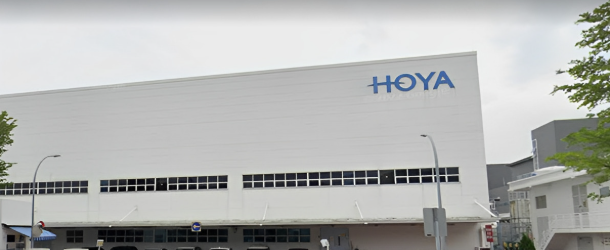
Hoya Electronics Singapore facility COMPLETED

Hoya Electronics Singapore

BMS delivery for a precision electronics facility.
BMS · INDUSTRIAL
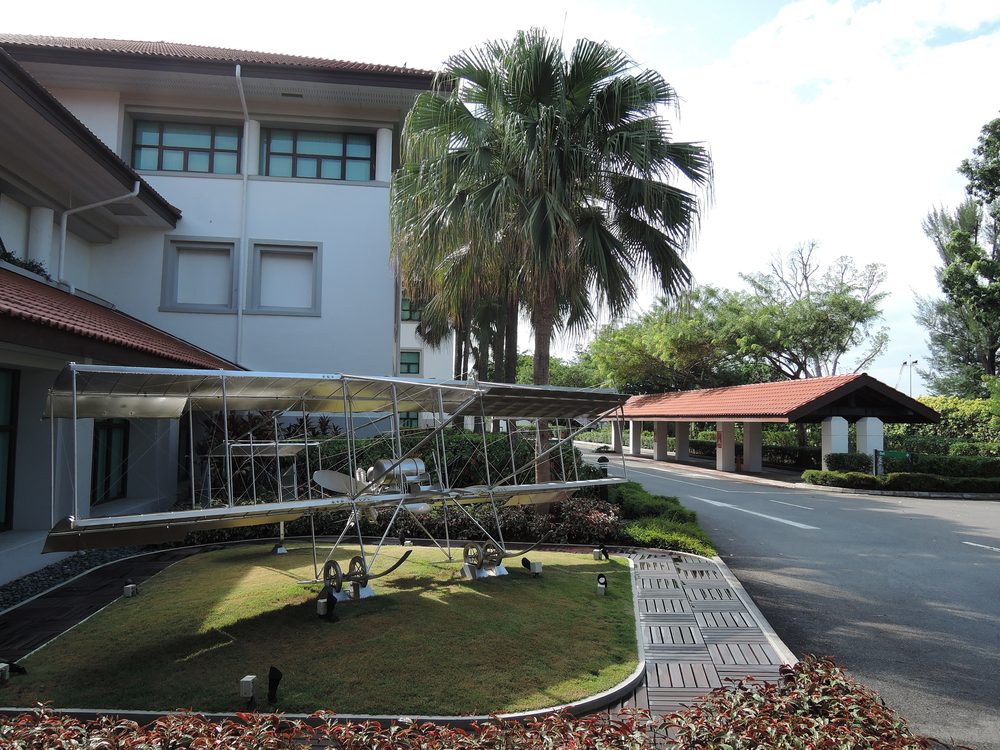
Singapore Aviation Academy campus ONGOING

Singapore Aviation Academy

Campus BMS works in progress.

BMS · ACADEMY
Hotel Jen building ONGOING

Hotel Jen

EMS and chiller plant works in progress.

EMS · CHILLER PLANT
CleanTech 3 chiller plant building ONGOING

CleanTech 3 Chiller Plant

Chiller plant upgrading works in progress.

UPGRADE · CHILLER PLANT

Showing 6 selected references — 19 completed and 4 ongoing sites in total.

View All Project References

05 / Project Delivery Process

A clear workflow from site survey to handover

01

Site Survey & Requirements

Confirm existing systems, project scope, operator needs, interfaces and site constraints.

02

Engineering & Drawings

Prepare point schedules, control diagrams, panel details and coordination records.

03

Application Development

Develop Niagara databases, graphics, alarms, trends, dashboards and integration mapping.

04

Panel Fabrication & Testing

Fabricate DDC, LMCP or HADAS panels with internal wiring, labelling and shop checks.

05

Site Integration & Commissioning

Connect field controllers, verify points, test alarms, review commands and validate feedback.

06

Handover & Support

Support as-built records, operator review, troubleshooting, tuning and maintenance response.

06 / Engineering Capability

Engineering capability from panel to dashboard

Citrine Engineering is a Singapore-based building automation company specialising in BMS application development, Niagara integration, control panel fabrication, cloud monitoring, chiller plant systems and ongoing technical support.
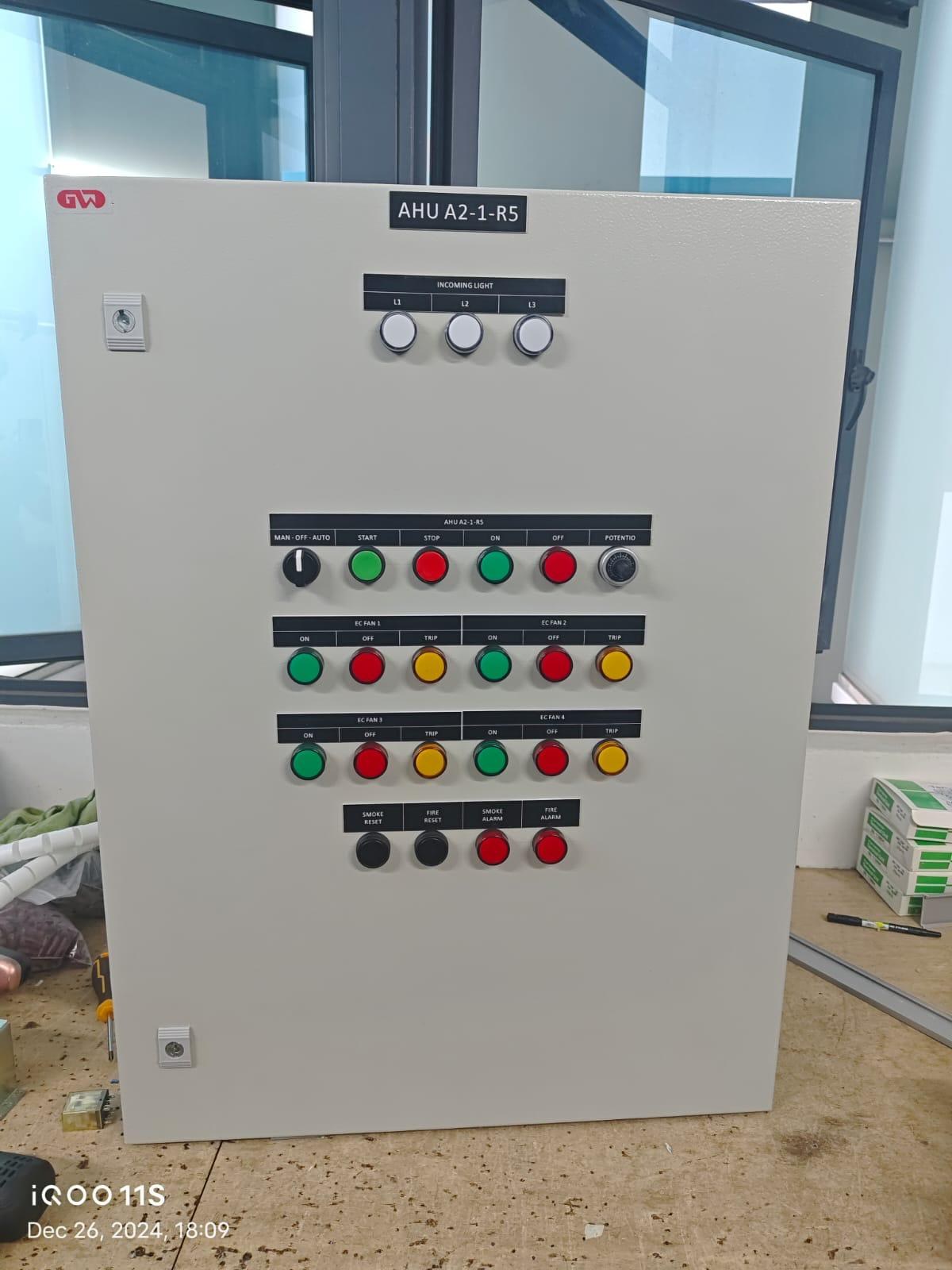
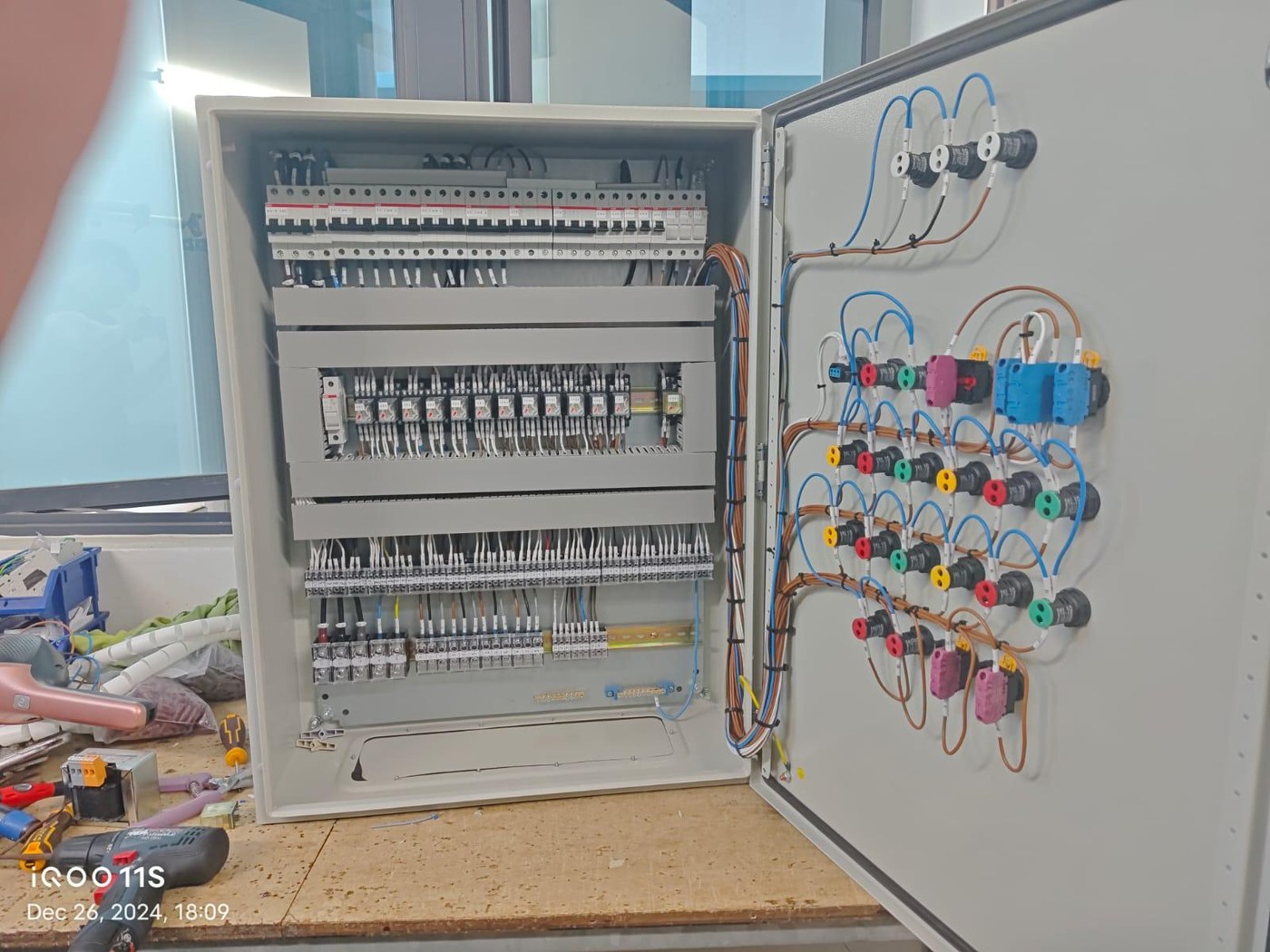
  • Niagara Supervisor & JACE developmentDatabases, graphics, alarms, schedules and histories.
  • DDC & control-panel engineeringDDC, LMCP and HADAS panels with wiring, labelling, controller mounting and shop testing.
  • BACnet, Modbus & PLC integrationMulti-protocol interface and gateway coordination where supported by project architecture.
  • Chiller plant control & upgradingPlant controls, monitoring, dashboards and upgrading works.
  • BMS dashboards & cloud monitoringOperator dashboards, energy reporting and secure remote visibility.
  • Testing, commissioning & supportPoint checks, alarm verification, operator review and maintenance response.
Completed Citrine DDC control panel front Control panel internal wiring and fabrication

Niagara 4 Certified

Certified capability for Niagara-based BMS integration, databases, graphics and operator interfaces.

BCA ME02

Building and Construction Authority registered contractor under ME02.

bizSAFE Level 3

Workplace safety management credentials for site execution and project delivery.

SCOPE CLARIFICATION

Citrine Engineering provides BMS engineering, application development, controller programming, control panel fabrication, testing and commissioning. Field cabling, containment and device installation may be coordinated with approved installation partners where required.

07 / BMS Platforms & Controller Interface

Niagara, VYKON, Distech, Siemens and Mitsubishi integration support

Platform references help clients understand the type of BMS, DDC and PLC interface work Citrine can support — without exposing any customer network or point details.
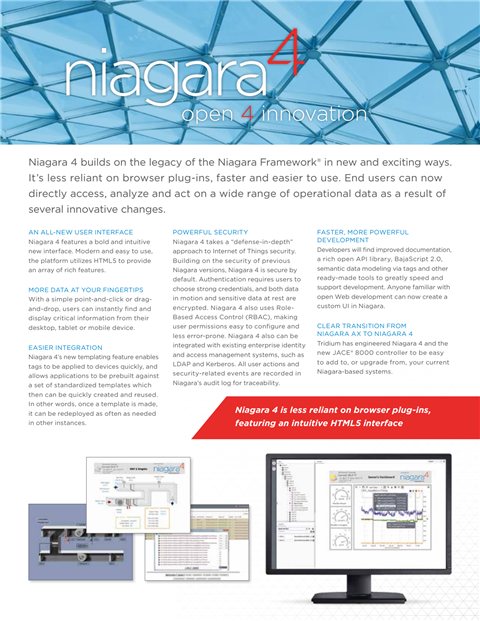
Niagara N4 Supervisor

Server-level SCADA supervision for JACE stations, DDC/PLC controllers, Niagara Edge devices, BMS graphics, alarms, trends, schedules, histories, dashboards and database management.

Centralized graphics & web operator access · Data logging, trending & archiving · Alarm management & master schedules · Integration layer for controllers and enterprise systems

Tridium / VYKON JACE

JACE controllers are Niagara 4 optimized hardware used for connecting, integrating, supervising and visualizing building systems.

JACE controller setup & integration · Station, graphics, alarms & trends · BACnet, Modbus, gateway & third-party integration
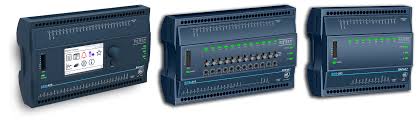
Distech ECB, EC-BOS & ECY

Distech platforms cover BACnet equipment control, EC-BOS web building controller functions and ECLYPSE ECY connected IP controller applications.

ECB series for AHU, chiller, boiler & plant control · EC-BOS supervision, logging & schedules · ECLYPSE ECY connected BACnet/IP applications
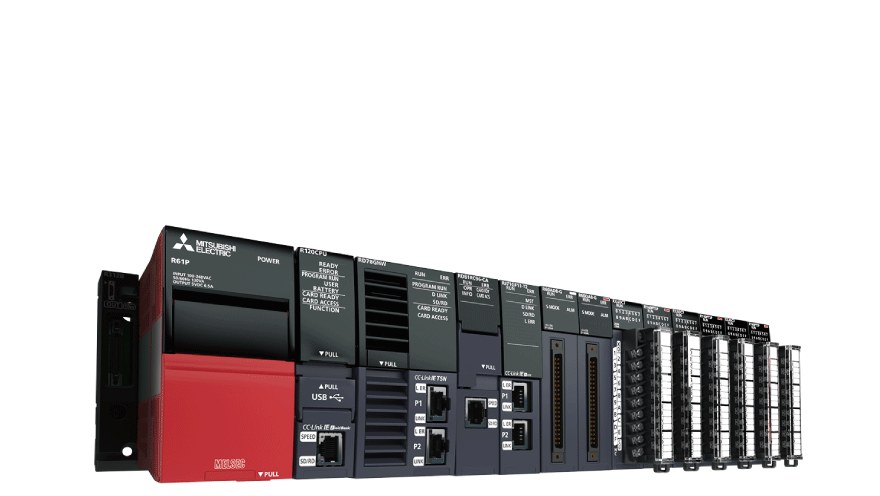
Mitsubishi MELSEC iQ-R Series

MELSEC iQ-R is an automation platform for plant, process and specialist equipment systems. Citrine supports PLC interface work for BMS graphics, alarms, trends and reporting visibility.

iQ-R PLC interface for plant & specialist systems · Status, command, alarm & feedback mapping · BMS/SCADA interface via supported protocols
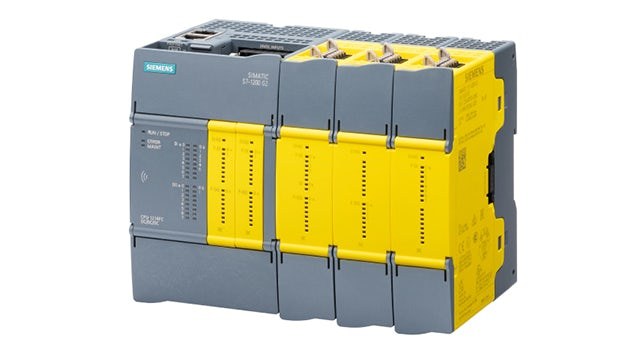
Siemens SIMATIC S7 Series

SIMATIC S7 PLCs are scalable automation controllers for machine, plant, process and equipment control. Citrine supports PLC-to-BMS integration, point mapping, monitoring and operator graphics.

S7 integration for equipment & process monitoring · PLC point mapping · BMS/SCADA interface via supported protocols

08 / Contact

Discuss your BMS, Cloud BMS or controls project

Share your project requirements, existing system details or site-survey needs. Our team will review the BMS, cloud and cybersecurity scope and respond accordingly.

Citrine Engineering Pte Ltd

UEN202216005G
ADDRESS20 Woodlands Link, #05-07
Singapore 738733

Project Inquiry